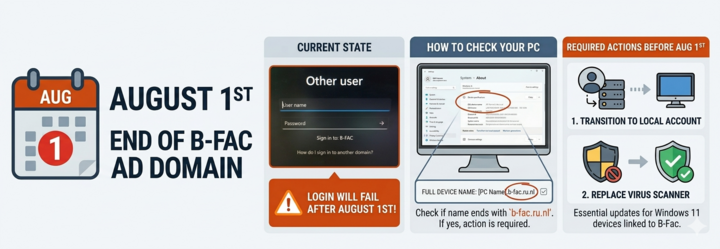
Please be informed that the B-Fac Active Directory Domain will be permanently decommissioned on August 1st during the summer break.
As a result, logging into Windows PCs using a science domain account will no longer be possible after this date.
It is essential that all laptops and PCs running Windows 11 currently linked to the B-Fac domain are transitioned to local accounts before August 1st. Additionally, the virus scanner on these devices must be replaced.
To check if your system needs to be transitioned, please follow these steps:
- Open the Start menu and click ‘Settings’.
- Select ‘System’ and then click ‘About’.
- Under ‘Device specifications’, look at the ‘Full Device Name’.
If the full device name ends with .b-fac.ru.nl, your system requires an adjustment.
Since removing a PC from an Active Directory Domain and switching to local accounts is a complex process, we strongly recommend contacting the C&CZ helpdesk to perform these updates.